
Give your journal or workbook a guided companion.
Add a guided journaling experience to the journal or workbook you’ve already published. Choose an exercise, enter its prompts, and set the writing times. Buyers follow along on screen while they write in your journal or workbook.
Free for 14 days, then $97/year. Cancel anytime.
Your audience can start without signing up. No paid membership needed.
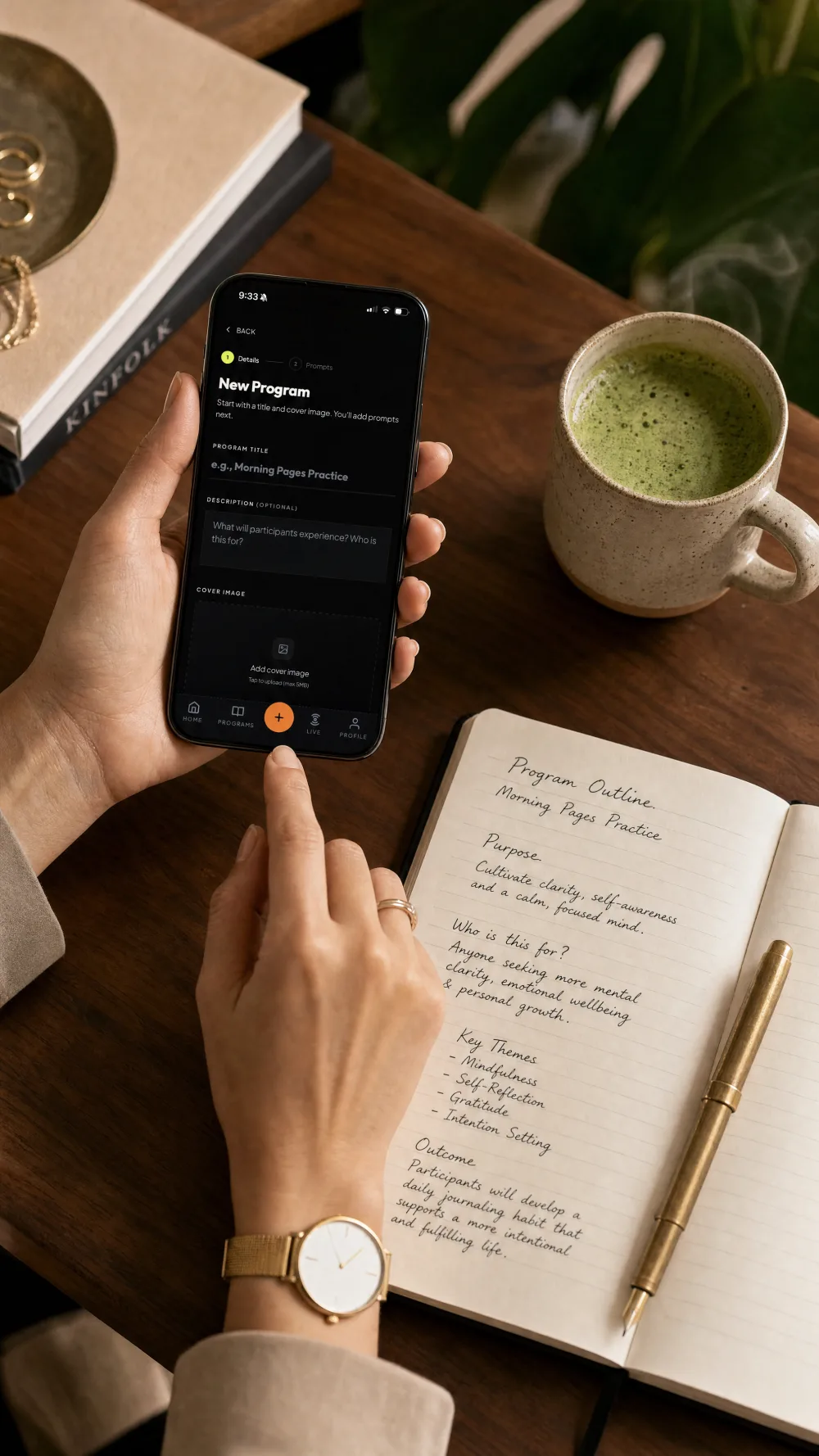
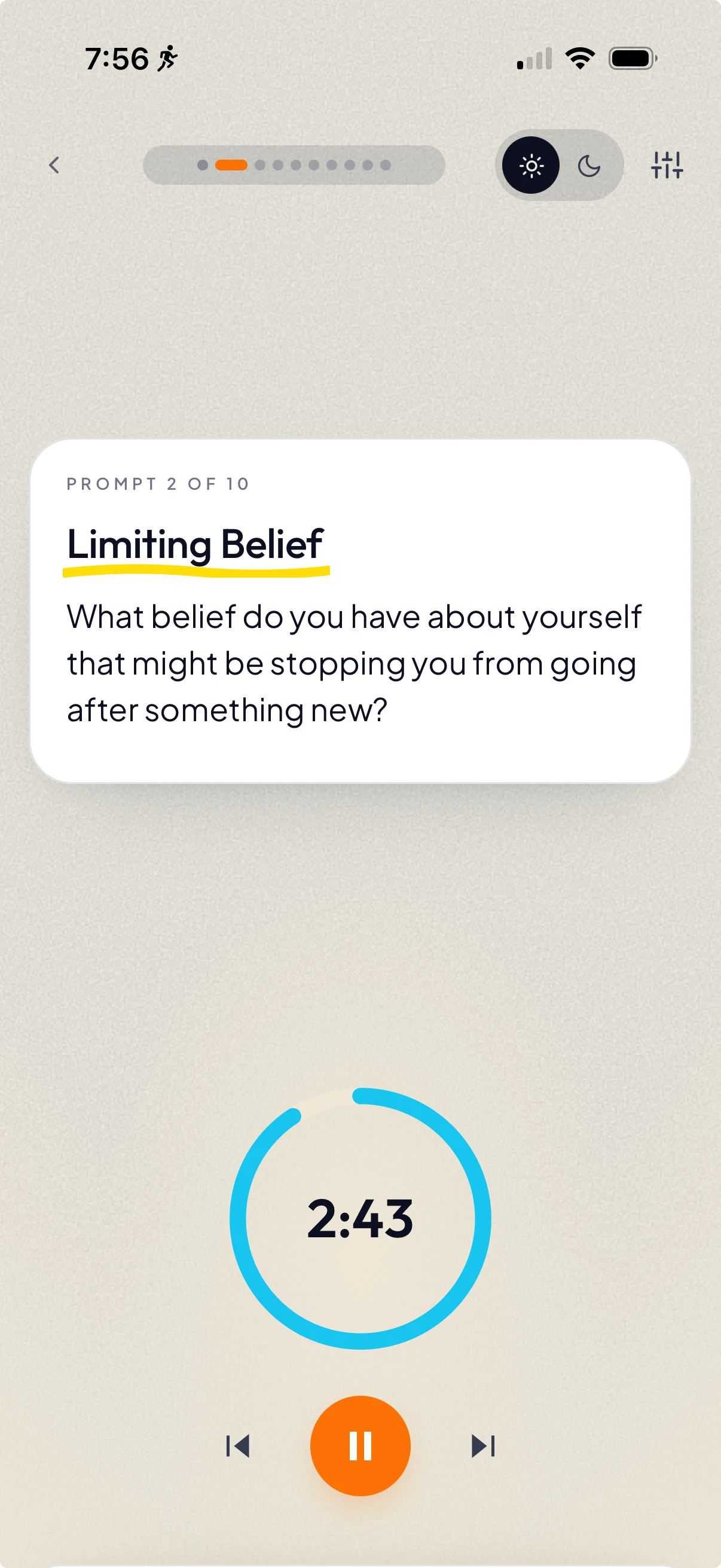
Guide buyers through a few pages at a time.
You’ve already written the prompts and put care into the pages. A companion session adds the pacing: one prompt at a time, with a timer for writing. Include the link with your buyer resources so they can try the guided experience alongside the product they bought. Every published session comes with a QR code you can download and print in the book.
People can open your link and start the session without signing up. After the session, they can create a free account to save their progress and follow you.
Anyone with the session link can try it, including people outside your paid offer.

Give your journal or workbook more ways to reach people.
Use a guided sample as a lead magnet, add a companion to a product you sell, and support buyers as they work through the pages.
Make a guided sample your lead magnet.
Share a few prompts from your published journal when people join your email list. Let them try a guided experience of your work before they choose a book.
Use your existing website signup form and deliver the sample session link through your email provider’s welcome email.
Your website signup

Join my newsletter and try a guided journal sample.
Your welcome email
 Sophie Lane
To: Your new subscriber
Your first guided reflection is here
Here’s a sample of the reflections in my journals. Use any journal and a pen, open the session, and take your time with each prompt.
Your free guided journaling session
Begin with Yourself
Open your session
Their reflections stay in their own journals.
Participants bring their own journal. Journal Party guides the session and never sees what they write.
They choose what to share with you.
If you discuss the exercise later, they decide which reflections to bring into the conversation.
A few ideas to make your own.
Use the actual exercises you’ve already published. These examples show the kinds of sections that could have a guided companion.
Session idea
Beginning This Journal
A companion to the opening reflection in a prompted journal.
Example prompt
What would you like to make space for in these pages?
Session idea
A Values Check-In
A guided version of a values exercise in a workbook.
Example prompt
Which of your values has been easiest to make room for lately?
Session idea
Before the Next Section
A reflection between sections of a published workbook.
Example prompt
What did you notice while working through these exercises that you want to take with you?
Your programs have a home on your profile.
Your bio and published programs appear together, so people can explore more of what you create.
Sophie Lane
Guided journal author and workbook maker. Follow along with my prompts, take your time, and make the pages your own.
Member since January 2025
12680
Followers
184
Following
Programs
Begin with Yourself
A guided companion to the opening pages of your journal.

Make Room for What Matters
Work through your priorities, one prompt at a time.

Your Monthly Check-In
Look back at the month and choose what to carry forward.
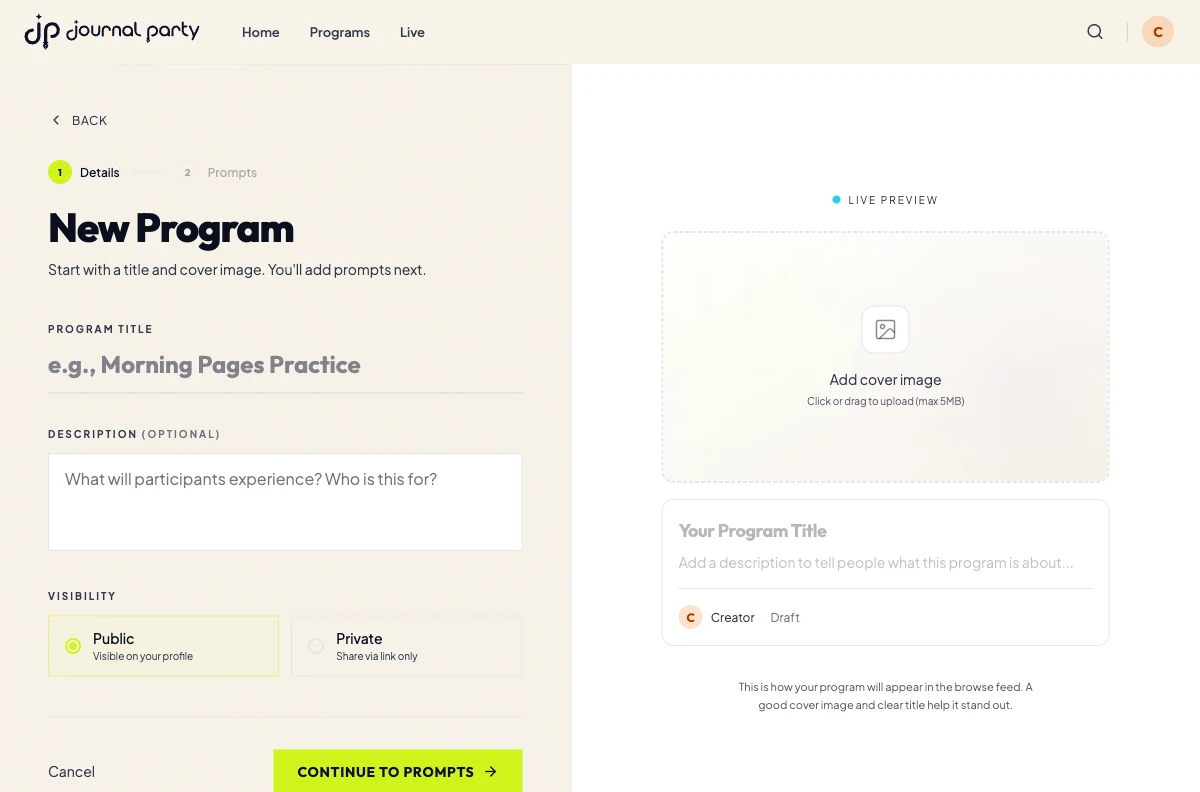
Create a session in three steps.
Choose a topic
Pick something you’d like to help your audience explore. Give your session a title, description, and cover image.
Add your prompts
Put your prompts in order, then set the writing time for each.
Publish and share
Copy the session link into an email, client message, course, or community post.
Journal Party Premium
Build your first resource. Then make it part of your offer.
- Create and publish guided journaling sessions with your own prompts and writing times.
- Offer sessions as lead magnets, include them in paid products, or share them with your clients and students.
- Use the Premium library, including mental health programs built with therapists.
Start creating with Premium
Free for 14 days, then $97/year. Cancel anytime.
Save $47.00 a year compared with 12 monthly payments.
Start creatingAnyone with your session link can try it without signing up. No paid membership needed.
Before you create a session
Can I add a companion to a workbook I’ve already published?
Yes. Choose an exercise, enter its prompt text yourself, and set the writing times. There’s no automatic workbook import. Share the session link through your website, email, or buyer resources. Every published session comes with a QR code you can download and print. Anyone with the link can try it without signing up.
What do I need to create a session?
Session creation is included with Journal Party Premium. On the web, choose your plan and add payment details at checkout. If you’re new, we’ll email you a secure sign-in link to open the builder.
What does my audience need?
Their own journal and a pen. Shared creator sessions open in a web browser on a phone, tablet, or computer without signup. Afterward, a free account lets them save their progress and follow the creator. The writing happens by hand.
Can I include sessions in something I sell?
Yes. Share a session link inside a coaching package, course, or membership you sell elsewhere. Anyone with the link can try it without signing up. You handle payments through your existing platform.
Can I offer a session to new email subscribers?
Yes. Collect signups through your existing email form and include the session link in your welcome email. Your email provider manages your list. Participants can try the session without signing up for Journal Party. An optional Journal Party account is separate from your mailing list.
Build on the journal or workbook you’ve already made.
Choose one exercise and give it a guided companion. Add the finished session link to the resources you share with your buyers.
Free for 14 days, then $97/year. Cancel anytime.